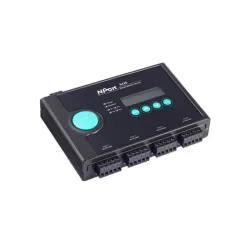
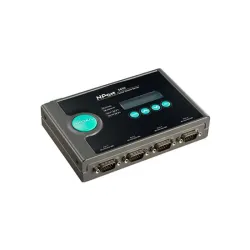
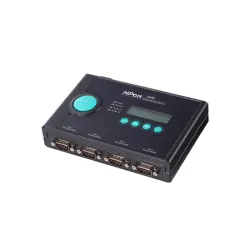
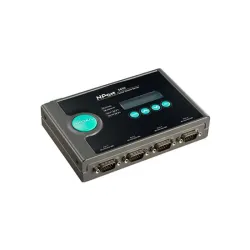
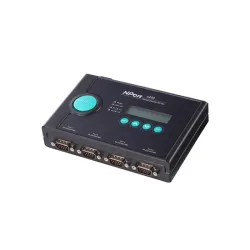
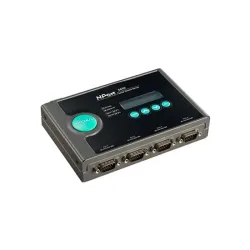
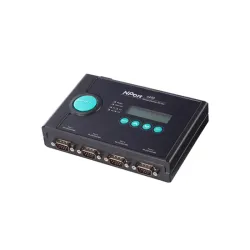
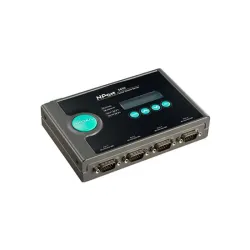
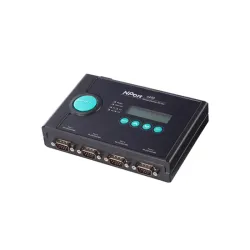
NPort 5400 Series
Moxa NPort 5400 Series: One Box, Four Serial Devices Online
A control room managing four separate serial-based instruments used to mean four separate connections, four separate points of failure, and four separate reasons for someone to walk the floor when something stopped responding. The NPort 5400 Series consolidates that into a single unit: a 4-port serial device server that puts every one of those devices onto the same Ethernet network, with each port running independently of the others.
That independence matters more than it sounds. Port 1 can run in Real COM mode feeding a Windows application, while Port 3 runs as a TCP Client polling a remote host — all on the same physical box. Factory automation and industrial automation environments tend to accumulate exactly this kind of mixed serial equipment over the years, which is why the NPort 5400 shows up often in PLC connectivity and machine automation setups.

Key Features of the Moxa NPort 5400 Series
The starting point is simple: a 4-port serial device server with RS-232, RS-422, or RS-485 interfaces — though which standard a given unit supports depends on the exact model.
- Serial Interface That Varies by Model: The NPort 5410 runs RS-232 only, the NPort 5430 and 5430I run RS-422/485 only, and the NPort 5450 family covers all three standards on the same unit.
- Single-Port Ethernet Connectivity: A single 10/100BaseT(X) Ethernet port with 1.5 kV magnetic isolation built in — one port per unit, not a redundant pair.
- Dual DC Power Inputs: A terminal block and a power jack keep the unit running if one supply source drops, since resilience here comes from power redundancy rather than a second Ethernet port.
- Surge Protection Across Every Line: Serial, Ethernet, and power lines are all covered, tested against the IEC 61000-4 series standards.
- Flexible Mounting Options: Desktop, DIN-rail, or wall installation, depending on the facility layout.
- 2 kV Serial Isolation on "I" Models: Limited to the NPort 5430I, 5450I, and 5450I-T, protecting connected equipment from surges on the serial line itself. Standard models without the "I" designation don't carry this isolation.
- RS-485 Signal Tuning: Adjustable termination and pull high/low resistors, set via DIP switches on the underside, along with Automatic Data Direction Control (ADDC) on RS-485-capable models, which handles transmit/receive switching without relying on the connected device.
- Wide-Temperature Operation: The "-T" variants extend operation to -40 to 75°C, versus the standard 0 to 55°C rating.
One trade-off worth knowing before ordering: the built-in LCD panel, which displays the server name and IP address and allows basic on-device configuration, is only available on standard-temperature models. The "-T" units skip it in favor of the extended range.
How the NPort 5400 Series Talks to Your Software
Beyond the physical ports, the NPort 5400 Series runs on a software stack that determines how each port behaves once connected.
| Capability | What It Means |
| Independent Port Operation | Each of the four serial ports runs its own mode simultaneously, with no shared configuration required |
| Operation Modes | Real COM, Real TTY, TCP Server, TCP Client, UDP, RFC 2217, Reverse Telnet, Pair Connection, Ethernet Modem |
| TCP/IP Networking | Standard network protocol support for compatibility with existing infrastructure |
| Network Management | SNMPv1/v2c, HTTP/HTTPS, Telnet, DHCP, and related protocols for standard IT visibility |
| Driver Support | Windows Real COM and Linux Real TTY drivers, making each port appear as a local serial connection |
| Baud Rate Range | 50 bps to 921.6 kbps across every port |
Real COM and Real TTY drivers matter most for anyone running existing Windows or Linux software that expects a physical serial port, since the driver makes a networked port behave exactly like a local one. For applications built around direct socket connections instead, TCP Server or TCP Client modes handle that without the driver layer at all.
Setting Up the NPort 5400 Series: Installation and Configuration Guide
1. Wire the power supply.
Connect 12 to 48 VDC to either the terminal block or the power jack. Wiring both to independent sources gives automatic failover if one fails.
2. Connect to the network.
Use a standard straight-through Ethernet cable to a switch, or a cross-over cable for direct connection during initial setup.
3. Find the unit.
Every NPort 5400 ships with a default static IP of 192.168.127.254, netmask 255.255.255.0. Standard-temperature models show this on the LCD panel; otherwise, Moxa's NPort Search Utility locates it automatically.
4. Log in.
Use admin as the username and moxa as the password, and change it before production use.
5. Configure each port independently.
Set the operation mode, baud rate, and serial parameters per port.
6. Install the driver.
Download the Windows Real COM or Linux Real TTY driver for this model from Moxa's support portal.
7. Update firmware.
Pull the current release and upload it through the web console.
Configuration itself runs through the Telnet console, a Windows utility, or the web console over HTTP or HTTPS — whichever fits how your team already manages other network equipment. That same default access setup is consistent across the whole series, from the RS-232-only 5410 to the fully loaded 5450I-T.
NPort 5400 Series Model Comparison: All Seven Variants Side by Side
With seven models spanning three serial standards, isolation options, and two temperature ranges, it's worth seeing them laid out together rather than working it out from spec text.
| Part Number | Serial Standard | Isolation | Operating Temp. | LCD Panel | Best Suited For |
| NPort 5410 | RS-232 | — | 0 to 55°C | Yes | Standard RS-232 installations |
| NPort 5430 | RS-422/485 | — | 0 to 55°C | Yes | Standard RS-422/485 installations |
| NPort 5430I | RS-422/485 | 2 kV | 0 to 55°C | Yes | RS-422/485 in electrically noisy environments |
| NPort 5450 | RS-232/422/485 | — | 0 to 55°C | Yes | Facilities needing all three standards on one unit |
| NPort 5450-T | RS-232/422/485 | — | -40 to 75°C | No | Multi-standard connectivity in harsh outdoor conditions |
| NPort 5450I | RS-232/422/485 | 2 kV | 0 to 55°C | Yes | Multi-standard connectivity with surge-prone wiring |
| NPort 5450I-T | RS-232/422/485 | 2 kV | -40 to 75°C | No | The most demanding combination: harsh environment plus electrical noise |
In practice, the decision comes down to three questions: which serial standard your equipment uses, whether the wiring runs through electrically noisy areas that call for 2 kV isolation, and whether the install site needs the -40 to 75°C range — keeping in mind that the "-T" models trade away the LCD panel for that extended reach.
Get the NPort 5400 Series for Your Facility
The Moxa NPort 5400 Series is available across Canada and North America, giving facilities a single, reliable way to bring up to four serial devices onto an Ethernet network at once. If you're not sure which model fits your interface and environment, our team can confirm before you order.
Frequently Asked Questions About the NPort 5400 Series
1. What is the Moxa NPort 5400 Series?
A 4-port serial device server that connects RS-232, RS-422, or RS-485 equipment to Ethernet networks, with each port operating independently.
2. What is the NPort 5400 used for?
Bringing multiple serial devices, like PLCs or industrial instruments, onto a single Ethernet connection for centralized monitoring and control.
3. How many serial ports does the NPort 5400 have?
Four, and each one can run a different operation mode at the same time.
4. Does the NPort 5400 support RS-232, RS-422, and RS-485?
Coverage depends on the model: the 5410 is RS-232 only, the 5430 and 5430I are RS-422/485 only, and the 5450 family handles all three on one unit.
5. How do I configure the NPort 5400?
Through the built-in Telnet console, a Windows-based configuration utility, or the web interface over HTTP/HTTPS — whichever your network team already uses.
6. Does the NPort 5400 support TCP/IP and UDP?
Yes, alongside Real COM, TCP Server, TCP Client, and several other operation modes.
7. Does the NPort 5400 support Real COM?
Yes. Real COM mode makes each networked serial port appear as a local COM port to existing Windows software.
8. Does the NPort 5400 support redundant power?
Yes. Dual 12–48 VDC inputs mean a second supply can take over automatically if the primary one fails — useful for unattended or remote installations.
9. Which NPort 5400 model should I choose if I only need RS-232?
The 5410 covers RS-232 only, at a lower cost than the multi-standard 5450 family. Only move up to the 5450 if you also need RS-422/485 on the same unit, or expect to add that equipment later.
10. Does the NPort 5400 support wide-temperature operation?
Yes. The 5450-T and 5450I-T are rated for -40 to 75°C, though both skip the LCD panel that standard-temperature units include.