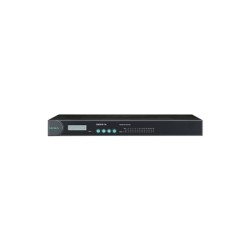
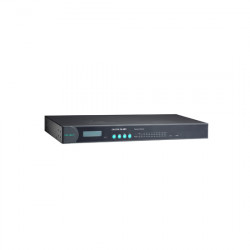
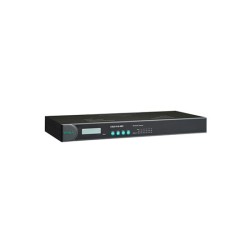
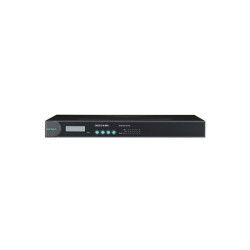
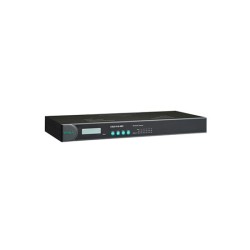
MOXA NPort IA-5150I Serial to Ethernet Device Server


MOXA NPort IA-5150I FEATURES
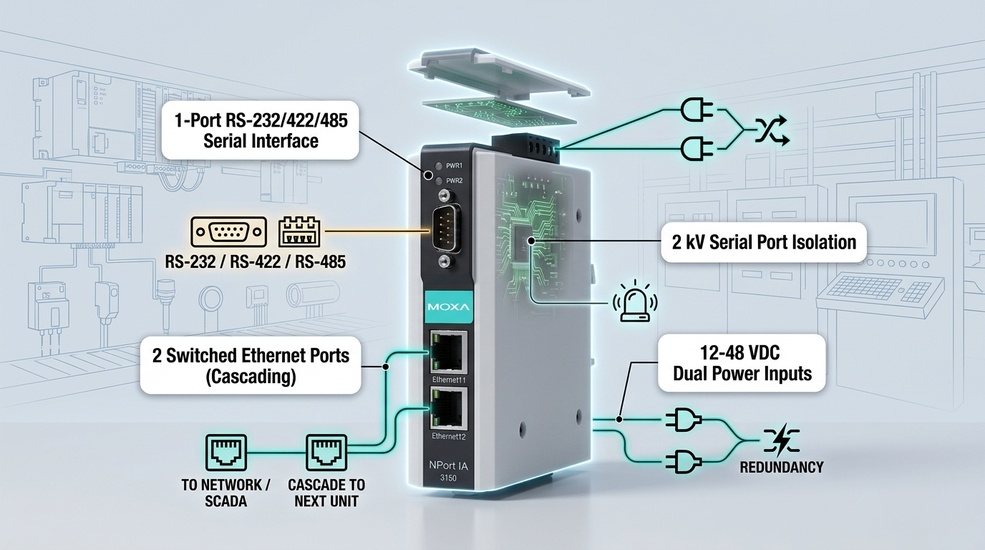
- 2 x 10/100Mbps T(x) Ethernet ports (RJ45 connector)
- 1 x RS-232/422/485 Serial port (DB9-M and TB connectors)
- 2 KV Isolation protection for serial ports
- 12 to 48 VDC Redundant dual power inputs
- IP30-rated Plastic body design
- DIN-rail mounting installation
- 0 to 55°C operating temperature


The Moxa NPort IA-5150I Brings Industrial Serial Devices Onto Ethernet Networks
The NPort IA-5150I is a single-port serial device server built to connect RS-232, RS-422, and RS-485 equipment directly to Ethernet networks. As part of Moxa's industrial device server lineup, this model targets facilities that need dependable connectivity without unnecessary complexity.
Engineers reach for the Moxa NPort IA-5150I across manufacturing, oil and gas, power and energy, and water and wastewater applications, wherever a single serial device needs a reliable path onto a modern network.
What Makes the NPort IA-5150I Worth Considering
At its core, the NPort IA-5150I is a serial-to-Ethernet device server that converts RS-232, RS-422, and RS-485 signals into Ethernet-ready data. This gives legacy equipment a direct path onto modern networks without requiring any changes to the original hardware, which matters most when the equipment in question still works perfectly fine and doesn't need replacing.
Built for industrial Ethernet connectivity, this device holds up in conditions that would compromise standard networking equipment. Vibration, electrical noise, and temperature swings are the norm in most industrial settings, not the exception, and the IA-5150I is designed with that reality in mind rather than treating it as an edge case.
It also supports remote serial device access, letting engineers check status and troubleshoot without a site visit for every issue. That single capability changes how a maintenance team operates day to day. Instead of dispatching someone to physically inspect a device every time something looks off, the status is already visible from wherever the network reaches.
For facilities running a mix of legacy and modern equipment, this kind of connectivity often becomes the deciding factor between a system that quietly works and one that requires constant manual attention.
Software and Reliability Behind the IA-5150I
Beyond the port count, connectors, and certifications already listed on the product page, the IA-5150I brings a set of software and reliability capabilities that shape day-to-day use:
Setting Up the NPort IA-5150I: Installation and Configuration Guide
Getting an IA-5150I from the box to a working part of the network follows the same routine as the rest of Moxa's NPort lineup:
- Wire the power supply. Connect 12 to 48 VDC to the terminal block (the unit draws roughly 257 mA at 12 VDC). Wiring both power inputs to live sources gives automatic failover if one supply drops.
- Find the unit on the network. The IA-5150I ships with a static default IP address of 192.168.127.254 (netmask 255.255.255.0). Rather than guessing at that address, use Moxa's NPort Administrator (or NPort Search Utility) on a Windows PC to locate the device on the local network.
- Log in with the default credentials. Open the embedded web console and log in with moxa as the default administrator password. Change this immediately, especially on units going into hazardous-location or safety-relevant installations.
- Configure network and serial settings. From the web console, assign a permanent IP address and set up the serial port mode (Real COM, TCP Server, TCP Client, or UDP) along with any SNMPv1, Telnet, or HTTP management options needed.
- Install the matching driver. Download the Windows Real COM or Linux Real TTY driver for this exact model from Moxa's official support portal, so the IA-5150I appears as a local COM port to existing applications.
- Keep firmware current. Download the latest firmware release for this model from Moxa's support site, then upload it through the web console's firmware upgrade screen. The unit restarts automatically once the update completes.
Certifications Behind the NPort IA-5150I
- CE: Confirms compliance with European safety and EMC standards
- UL: Validates safety performance under recognized industrial standards
- IEC: Confirms compliance with international electrical safety and performance requirements
- ATEX / Class I Division 2 / IECEx: Certifies the device for use in hazardous, explosive locations
- DNV: Confirms suitability for marine applications
These NPort IA-5150I certifications give facilities confidence that the device meets recognized safety and performance benchmarks before it's ever installed.
Get the NPort IA-5150I for Your Facility
The Moxa NPort IA-5150I is available across Canada and North America, ready to bring your serial equipment onto a modern Ethernet network. If you're not sure it fits your existing setup, our team is available to help confirm compatibility before you order.
Common Questions About the NPort IA-5150I
1. What is the Moxa NPort IA-5150I?
It's a single-port serial-to-Ethernet device server that connects RS-232, RS-422, and RS-485 equipment to Ethernet networks.
2. What is the NPort IA-5150I used for?
It's used to bring legacy serial devices onto modern networks, enabling remote access and centralized monitoring.
3. What serial interfaces does the NPort IA-5150I support?
It supports RS-232, RS-422, and RS-485, covering the most common legacy serial standards.
4. How does the NPort IA-5150I connect serial devices to Ethernet?
It receives data through its serial port, converts that data, and transmits it over Ethernet to the rest of the network.
5. Can the NPort IA-5150I be used with PLC and SCADA systems?
Yes. It supports integration with PLC and SCADA platforms, allowing serial-based equipment to communicate over Ethernet.