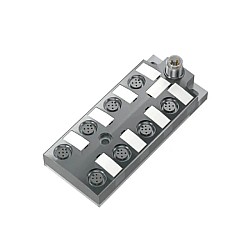
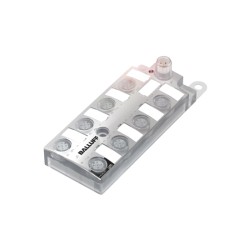
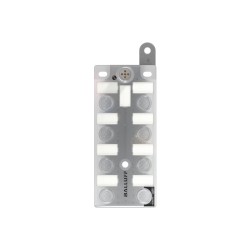
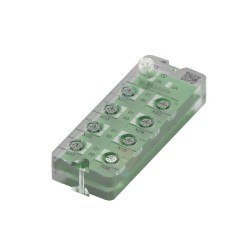
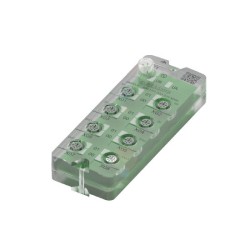
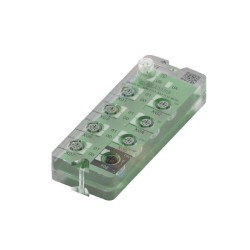
IO-Link Sensor/Actuator Hubs
One Master Port, Sixteen Field Devices
A Balluff IO-Link sensor/actuator hub collects up to 16 discrete sensor and actuator signals at the machine and passes them to the controller through a single IO-Link master port. Instead of running a separate cable from every proximity switch and valve back to the panel, you mount the hub where the devices are and run one standard sensor cable to the master.
Manuauto is an authorized Balluff distributor in Canada and the U.S. We supply the hub models below and help you match one to your I/O count, signal logic and operating environment. For a closer look at how these hubs work, read The New Generation of BALLUFF IO-Link Sensor/Actuator Hubs.
Why Use an IO-Link Hub Instead of Home-Run Wiring
Fewer cables into the panel. One cable carries up to 16 points, which shrinks cable trays, terminal blocks and PLC I/O cards.
No network addressing. The hub is an IO-Link device, not a fieldbus node, so there is no IP address to assign and no extra switch port to occupy.
Faults isolated to the port. Single-channel monitoring flags a short circuit, overload or broken cable at the specific port, so maintenance goes straight to the faulty device.
Built for the machine, not the cabinet. IP67-rated housings with M12 connectors mount directly on frames, fixtures and conveyors.
Quicker swaps. On IO-Link 1.1 masters with data storage, the master can restore the hub’s settings when an identical unit is installed.
How a Balluff Hub Connects Your Devices to the PLC
A hub sits between the field devices and the IO-Link master. Sensors and valves plug into the hub, the hub connects to one master port, and the master passes everything to the PLC over EtherNet/IP, PROFINET or another fieldbus. Each link in that chain has a detail worth getting right:
At the device ports. On 8-port models, each 5-pin M12 port carries two signals, on pins 4 and 2. A single-channel sensor uses pin 4; a Y-splitter puts two sensors on one port and makes use of all 16 points.
Between hub and master. The BNI007Z and BNI00J8/J9/JA connect with a 4-pin A-coded M12 cable, the same type used for standard sensors.
Inside the PLC. The hub’s I/O appears as process data in the master’s input and output image, one bit per point, so 16 inputs take up just two bytes. The PLC program reads them like local I/O.
Configuration. Configurable hubs such as the BNI007Z are set up through their IODD file, either in the master’s configuration tool or from the PLC, to define each point as an input or an output.
How to Choose the Right Balluff Hub
Four questions narrow the choice down to one model:
Sourcing or sinking? Match the hub to your devices: PNP hubs for sourcing sensors and actuators, NPN hubs for sinking ones. A single hub does not mix the two.
Inputs only, or inputs and outputs? Input-only hubs suit sensor-heavy stations. Hubs with outputs also drive valves, lamps and small actuators, and configurable models let you set each point as either.
How much output current? Check the per-output rating in the datasheet against your valve or actuator load, then plan the total power budget as described below.
Where will it be mounted? Operating temperature ranges differ by model, from -5 to 55 °C up to -20 to 70 °C.
| Model | I/O configuration | Logic | Operating temperature | Good fit for |
|---|---|---|---|---|
| BNI0074 | 16 inputs | NPN | -5 to 55 °C | Input-only stations on sinking controls |
| BNI007Z | 16 configurable inputs/outputs, 8 × M12 ports | PNP | -20 to 70 °C | Stations where the input/output split may change |
| BNI00J8 | 16 inputs / 8 outputs, 8 × M12 ports | PNP | -20 to 60 °C | Sensor and valve stations on sourcing controls |
| BNI00J9 | 16 inputs / 8 outputs, 8 × M12 ports | NPN | -20 to 60 °C | The same layout for sinking controls |
| BNI00JA | 16 inputs / 8 outputs, 8 × M12 ports | PNP | -20 to 60 °C |
Planning Power for Sensors and Actuators
Power is where most hub layouts run into trouble. Everything connected to a hub, including the hub’s own electronics, every sensor and every switched output, is fed through the master port. The hubs on this page connect with a 4-pin cable, so sensors and outputs share the port’s main supply.
Before you finalize the layout, add up the sensor current and the load of all outputs that can be on at the same time, and compare the total with the current rating of the master port. If the station drives a valve manifold or other high loads, two options keep the design reliable:
Leave a few spare points on every hub as well. Adding a sensor later is a plug-in job, while adding a second hub means another master port and another cable run.
When a Hub Is Not the Right Tool
Get the Right Hub and Master on the First Order
Send us your I/O list or a sketch of the station, and our team will recommend the hub and master combination that fits.
Frequently Asked Questions
Do I need an IO-Link master to use a sensor/actuator hub?
Yes. The hub reports its I/O as IO-Link process data, and the master port supplies both communication and power. The master then passes that data to your PLC over EtherNet/IP, PROFINET or another fieldbus. Balluff masters are listed under Industrial Network Engineering.
Will a Balluff hub work with another manufacturer’s IO-Link master?
Yes. IO-Link is a vendor-independent standard (IEC 61131-9), so a Balluff hub connects to any compliant master port. Check that the port class and available current suit the outputs you plan to drive.
How many hubs can one master handle?
One hub per master port. IO-Link is point-to-point, so hubs cannot be daisy-chained. An 8-port master with a 16-point hub on every port gives you up to 128 discrete points from a single network node.
What is the difference between an IO-Link hub and a network block?
A network block, such as the Balluff BNI00HP, connects directly to the Ethernet network and has its own IP address. A hub connects to an IO-Link master port instead. Many machines use both: a network block or master as the network node, and hubs to extend it out to the sensors. See all Ethernet/IP network blocks.