
NPort 5200A Series
Moxa NPort 5200A Series: Give Your Serial Equipment a Direct Line to the Network
A large share of the equipment still running on today's factory floors speaks only RS-232, RS-422, or RS-485, and has no native way to join an Ethernet-based network. The Moxa NPort 5200A Series was built to close exactly that gap. It converts a serial connection into a network-accessible one, so existing PC software can reach the device from anywhere on the network, with zero changes required to how the device itself operates.
This is far from a niche problem. Industrial environments are still full of serial-based PLCs, sensors, and controllers installed long before Ethernet became the default. Replacing all of it just because the surrounding network moved on would be expensive and, in most cases, unnecessary, which is exactly why so many facilities standardize on a device server instead of a hardware overhaul.
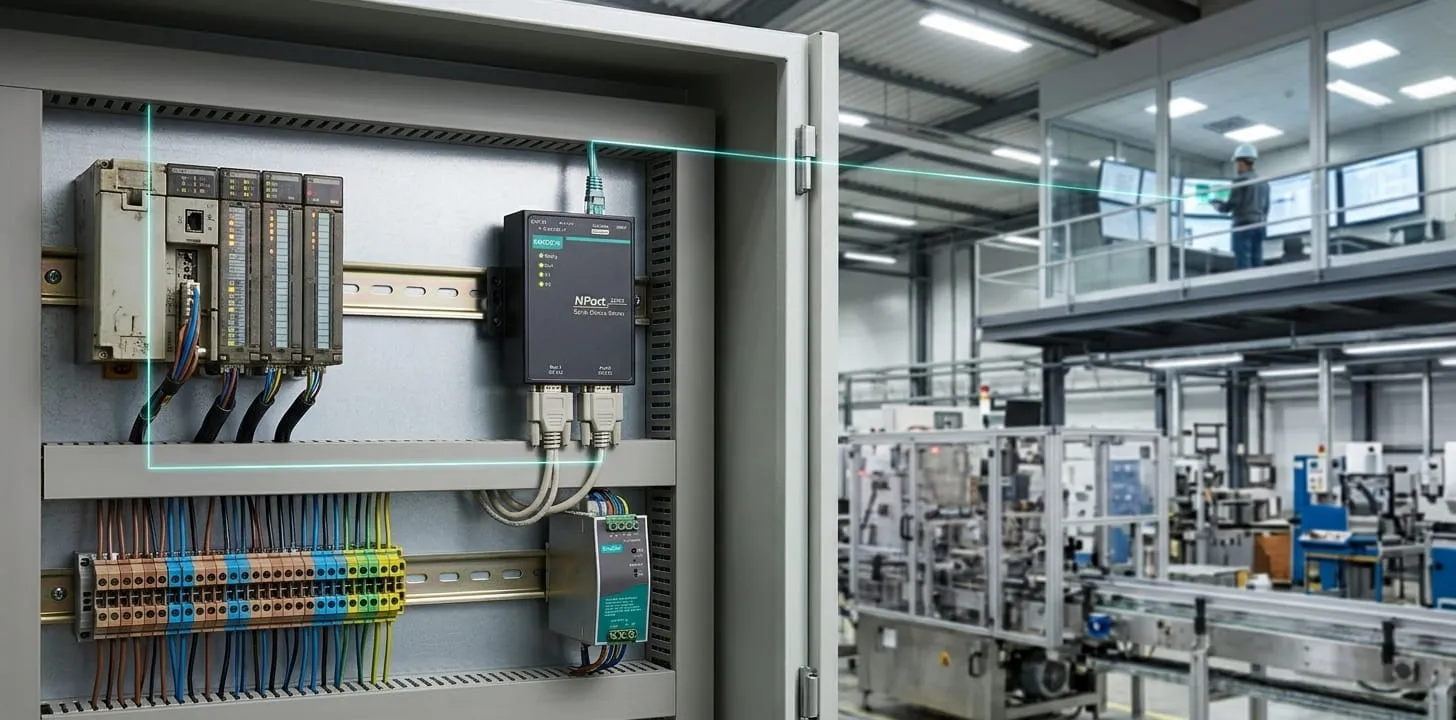
Key Features of the Moxa NPort 5200A Series
Here's everything built into an NPort 5200A Series unit — including the handful of specs, flagged below, that differ between the 5210A, 5230A, and 5250A. The full side-by-side breakdown follows in the comparison table further down.
- Two Independent Serial Ports: Each unit runs two serial ports at once, so a single device server can serve two separate pieces of equipment instead of one.
- RS-232 / RS-422 / RS-485 Coverage That Depends on the Model: This is the main line between models: the NPort 5210A supports RS-232 only, the NPort 5230A supports RS-422/485 only, and the NPort 5250A covers all three standards in one unit.
- 10/100BaseT(X) Ethernet with 1.5 kV Isolation: A single RJ45 Ethernet port handles the network side, with 1.5 kV magnetic isolation built into every model to protect against electrical transients.
- Dual DC Power Inputs for Built-In Redundancy: A terminal block and a power jack both accept 12 to 48 VDC, so a backup supply can take over instantly if the primary source drops.
- 3-Step Web Console for Fast Deployment: The web-based configuration console gets a serial-to-Ethernet connection running in three steps, with most installs finished in under a minute.
- IEC 61000-4-5 Surge Protection on Every Interface: Serial, Ethernet, and power lines are all tested and compliant with IEC 61000-4-5 surge immunity — a meaningful safeguard in electrically noisy facilities.
- COM Port Grouping for Centralized Control: Multiple physical serial ports across NPort device servers can be grouped under a single COM port, cutting down on how much you have to manage individually.
- Automatic Data Direction Control (ADDC) on RS-485 Models: ADDC is built into the RS-485 interface on the NPort 5230A and 5250A. It doesn't apply to the NPort 5210A, which runs RS-232 exclusively.
- Flexible Desktop, DIN-Rail, or Wall Mounting: Set it on a desk, mount it to a wall, or attach it to a DIN rail with the optional kit — installation adapts to the space, not the other way around.
- A Baud Rate Range Built for Old and New Equipment Alike: 50 bps to 921.6 kbps is consistent across the whole lineup, covering slower legacy devices and faster modern serial equipment without a second product line.
- Wide-Temperature "-T" Models Rated -40°C to 75°C: Only the "-T" suffix models (5210A-T, 5230A-T, 5250A-T) carry this rating. Standard models without "-T" are built for 0 to 55°C.
On the software side, the series supports Serial-to-Ethernet, Real COM, Real TTY, TCP/IP, TCP Server, TCP Client, UDP, RFC2217, Reverse Telnet, Pair Connection, and Ethernet Modem operation modes. Which one you need comes down entirely to what your existing software expects, a virtual COM port, a direct TCP or UDP connection, or something built around older modem-style communication.
NPort 5210A vs. 5230A vs. 5250A: The Full Comparison
With three base models and a wide-temperature variant of each, it's worth seeing every option laid out side by side rather than guessing which one fits.
| Part Number | Serial Standard | Operating Temp. | ADDC Support | Serial Console | Best Suited For |
| NPort 5210A | RS-232 | 0 to 55°C | No | Yes | Standard RS-232 devices in typical indoor conditions |
| NPort 5210A-T | RS-232 | -40 to 75°C | No | Yes | RS-232 devices in harsh or outdoor environments |
| NPort 5230A | RS-422/485 | 0 to 55°C | Yes | No | Standard RS-422/485 installations |
| NPort 5230A-T | RS-422/485 | -40 to 75°C | Yes | No | RS-422/485 installations in extreme temperatures |
| NPort 5250A | RS-232/422/485 | 0 to 55°C | Yes | Yes | Facilities needing flexibility across all three serial standards |
| NPort 5250A-T | RS-232/422/485 | -40 to 75°C | Yes | Yes | Multi-standard serial connectivity in harsh environments |
In practice, the decision comes down to three questions: which serial standard your equipment actually uses, whether the installation needs the extended -40°C to 75°C range, and whether a built-in serial console is worth having on hand for local troubleshooting.
Choosing the Right Model, and Getting It Running
Once you've narrowed things down, the rest is mostly paperwork and configuration. Moxa's NPort 5200A Series user manual walks through setup in detail, and if a unit needs a firmware update before going into service, that's available directly through Moxa's support resources.
Still not sure which model fits? That's a completely normal place to be, and it's exactly what our team is here for. A short conversation about your serial standard, environment, and temperature requirements is usually enough to land on the right configuration. As a Moxa NPort distributor in Canada, we work with facilities across Canada and North America — from that first conversation through anything that comes up after installation.
Frequently Asked Questions About the Moxa NPort 5200A Series
1. What is the Moxa NPort 5200A Series?
It's a 2-port serial device server that converts RS-232, RS-422, or RS-485 signals into Ethernet-accessible data, depending on the specific model.
2. What is the NPort 5200A Series used for?
It connects serial-based industrial equipment, like PLCs and sensors, to an Ethernet network so it can be accessed and monitored remotely.
3. Does the NPort 5200A support RS-232, RS-422, and RS-485?
It depends on the model. The 5210A supports RS-232 only, the 5230A supports RS-422/485 only, and the 5250A covers all three.
4. Beyond serial support, what else separates the 5210A, 5230A, and 5250A?
The 5230A and 5250A add Automatic Data Direction Control for RS-485. The 5250A is the only model with a built-in serial console, which is useful for local diagnostics without going through the network.
5. How do I configure the NPort 5200A Series?
Through the 3-step web-based console, which most people can complete in under a minute for a standard setup.
6. Does the NPort 5200A support Real COM mode?
Yes. Real COM mode makes the networked serial device appear as a local COM port to existing Windows software.
7. Does the NPort 5200A support TCP/IP and UDP?
Yes. Both TCP (Server and Client modes) and UDP are supported, depending on what your application needs.
8. Does the NPort 5200A support wide-temperature models?
Yes. The "-T" suffix models (5210A-T, 5230A-T, 5250A-T) handle -40 to 75°C. Standard models without "-T" are rated for 0 to 55°C.
9. Where can I download the NPort 5200A firmware?
Directly through Moxa's official support resources.
10. Where can I find the NPort 5200A datasheet?
Through Moxa's documentation, which includes full specifications for every model in the series.


